HMI Interface Design for Automotive Dashboard
UI/UX Case Study
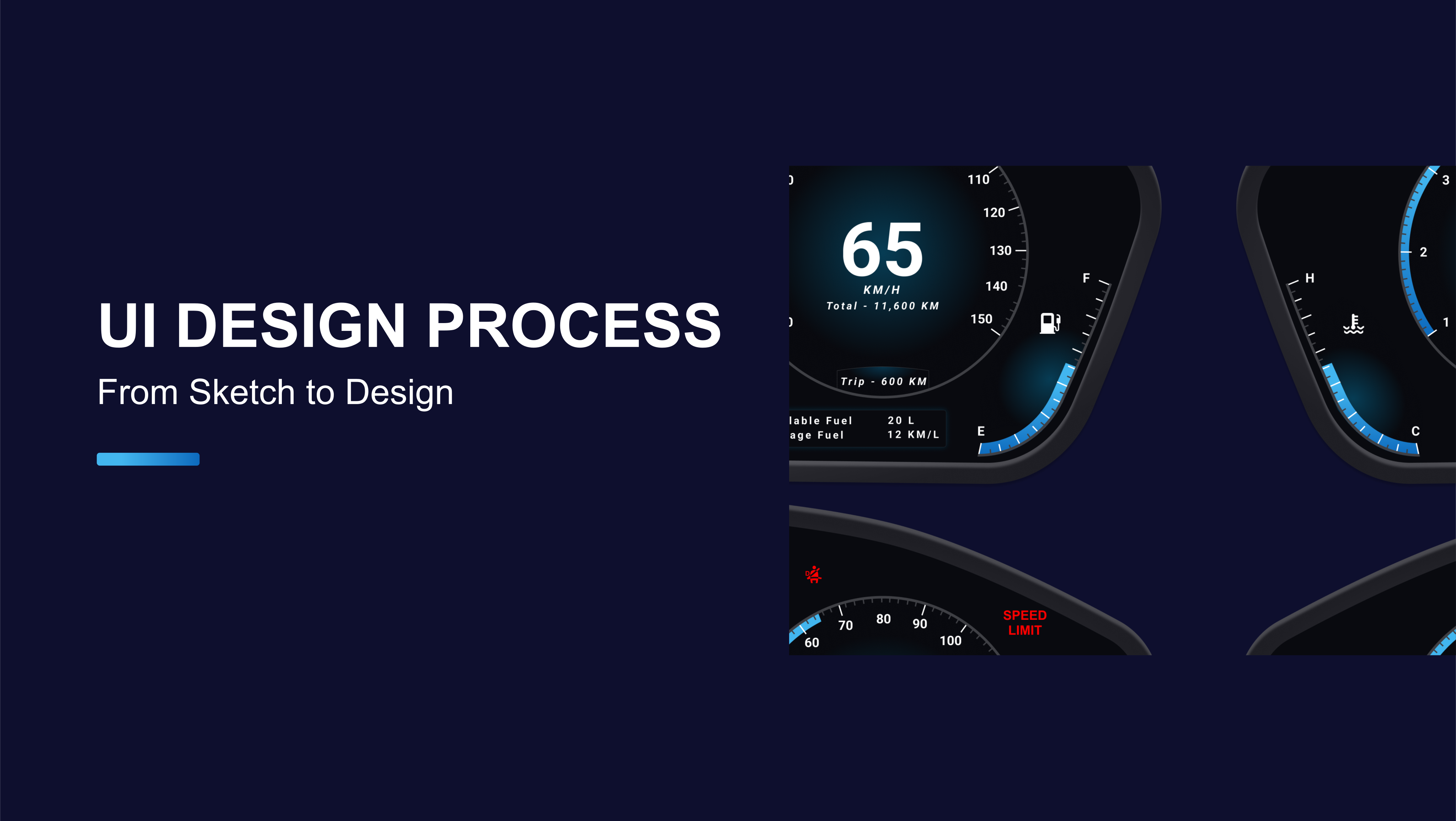
This project focuses on designing a Human Machine Interface (HMI) system for automotive dashboards.
In modern vehicles, the HMI acts as the main communication bridge between the car and the driver,
making it essential that the interface is clear, efficient, and user-friendly. The design ensures
that key driving information such as speed, odometer, fuel level, and warnings are displayed prominently
while maintaining a clean and minimal layout.
The approach taken was not only to create a functional display, but also to make it visually
appealing and safe to use while driving. Before starting the design process, research was conducted
to understand drivers needs what information they prioritize, how quickly they expect to access it,
and which modes of interaction they find most convenient.
UI UX Design Process for Creation of HMI's
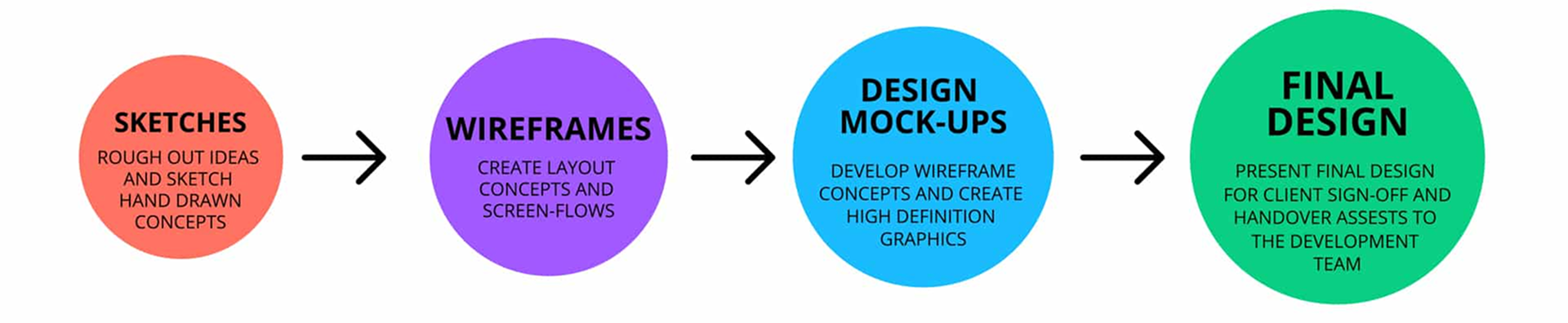
However, there are several aspects that need to be considered and agreed upon before the HMI design process can begin:
Process values and labels – Understanding which process values are most important guides how information
should be presented on screen. This determines which readings draw the eye, what level of detail (e.g., decimal points, measurement units)
is shown, and how alerts are prioritized. It is also essential to identify which information is routine and which requires immediate
attention, ensuring the interface communicates clearly under all conditions.
Navigation – Most HMI systems involve multiple display screens. Defining how users move between these screens is
crucial whether through buttons, menus, or other methods. The navigation structure should minimize the number of steps required to
reach key functions, while also considering the environment of use (for example, touchscreens may be less effective in areas with dust, oil, or moisture).
Color – While colors enhance the visual appeal of an HMI, their primary role is functional. They must be used consistently
to indicate commands, states, and alerts. High-contrast combinations (such as light text on dark backgrounds) are preferred for readability.
Critical alerts should be standardized in their color use, making them instantly recognizable to operators.
Layout – The arrangement of information on each screen should reflect the way the system is actually used. A logical, uncluttered
layout makes navigation intuitive and prevents errors in operation. Grouping related elements together and reducing unnecessary content ensures that
the user can interact with the system quickly and accurately.
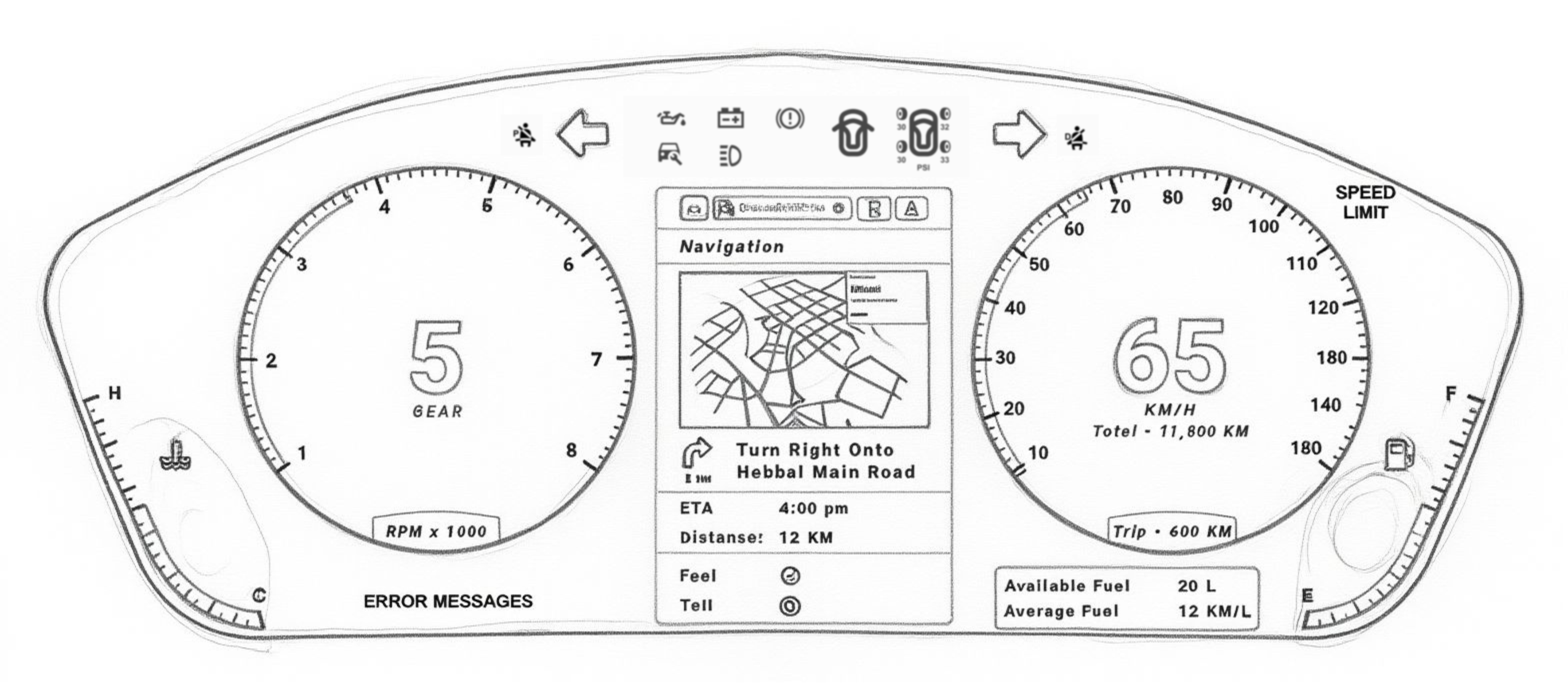
Sketches – Once the requirements are clear, rough sketches and hand-drawn concepts are created to visualize the interface. These sketches provide an early representation of the layout, navigation flow, and key elements. After review and refinement, the approved concepts are translated into UI design software, where they evolve into detailed digital prototypes.
Wireframes – Once the requirements are clear, rough sketches and hand-drawn concepts are created to visualize the interface. These sketches provide an early representation of the layout, navigation flow, and key elements. After review and refinement, the approved concepts are translated into UI design software, where they evolve into detailed digital prototypes.
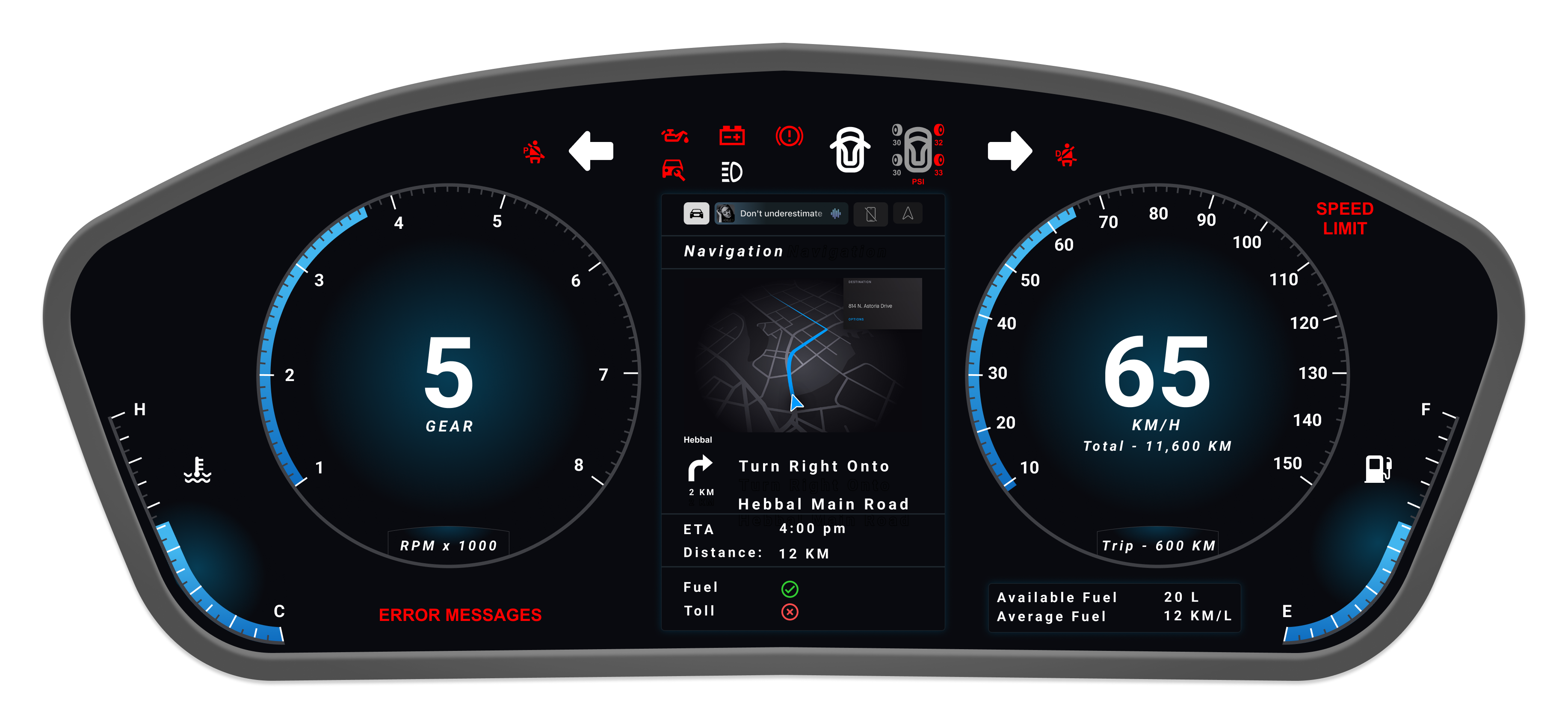
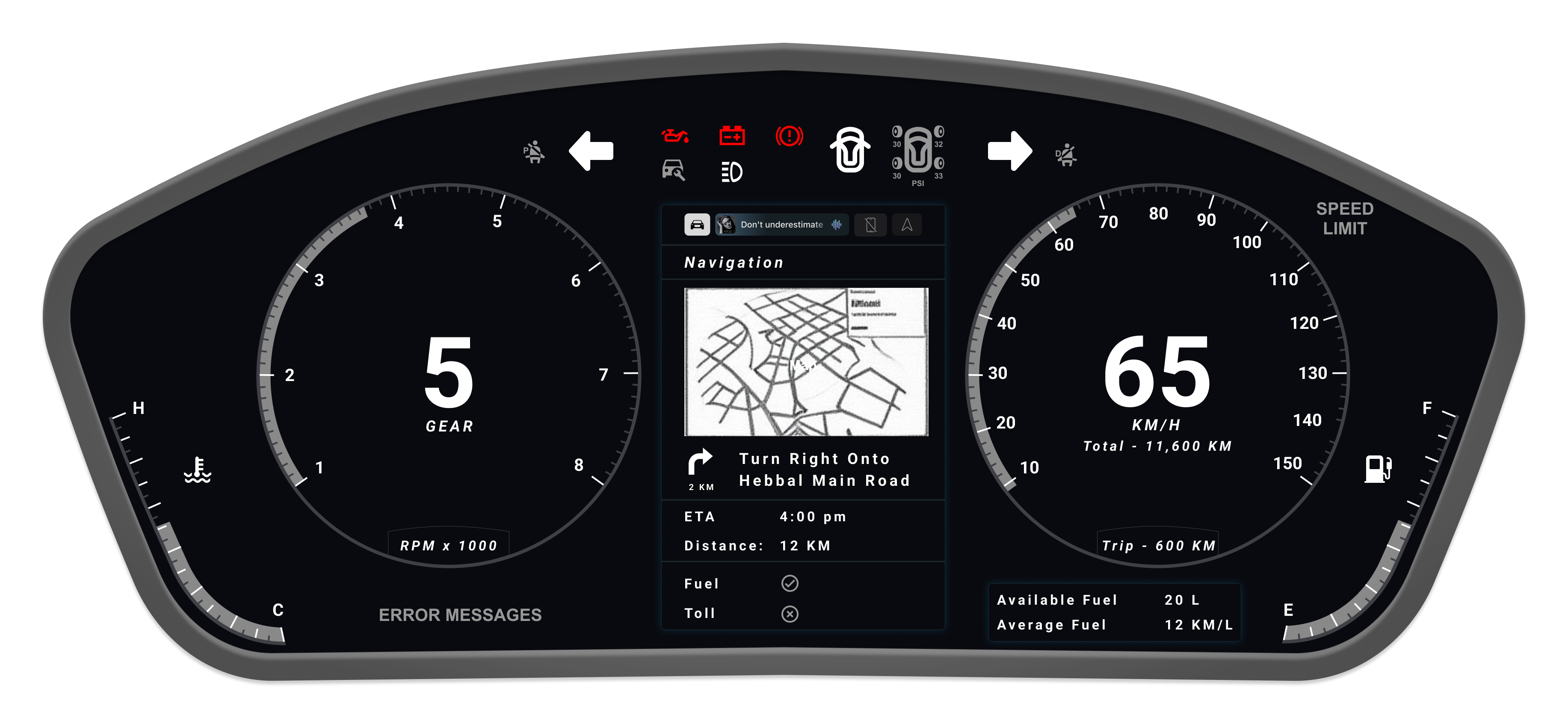
High-Fidelity Design – Building upon the wireframes, high-definition mock-ups are created to explore
visual styles, color schemes, and layout refinements. These designs showcase how on-screen controls, indicators, and navigation
will appear in a real environment.
At this stage, technical constraints are reviewed with the engineering perspective in mind, ensuring that the designs
are not only visually appealing but also feasible for implementation. The final version of the HMI interface is then
consolidated and handed over for development, representing a complete and functional design system ready for production.
Explore More Work
Discover additional projects and creative explorations on my professional platforms
Behance Portfolio
Curated collection of UI/UX case studies and design process documentation
ArtStation Gallery
3D modeling, VFX work, and digital art showcasing technical artistry
LinkedIn Profile
Professional network, recommendations, and career journey insights
Ready to Create Something Extraordinary?
Let's collaborate and bring your vision to life with the perfect blend of technical artistry and user-centered design thinking.